Shopping Cart



What is the Uwell Caliburn Explorer?
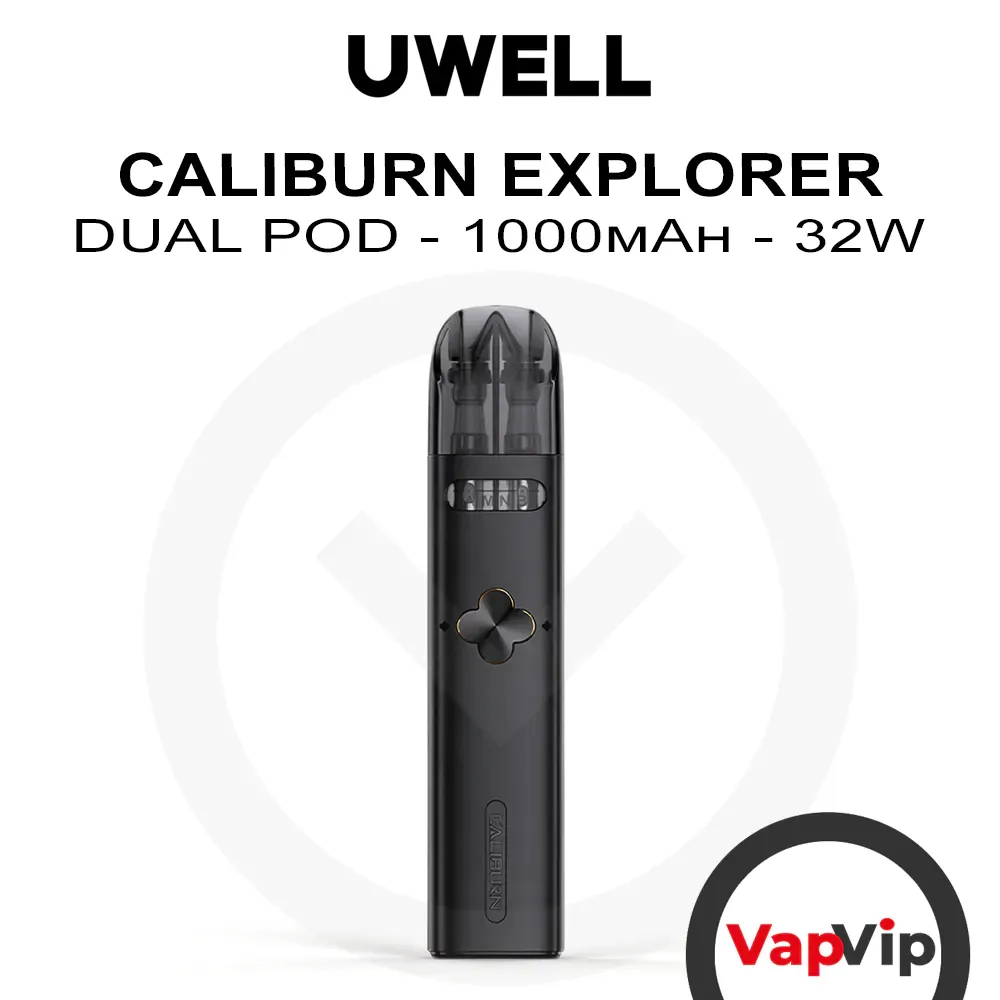
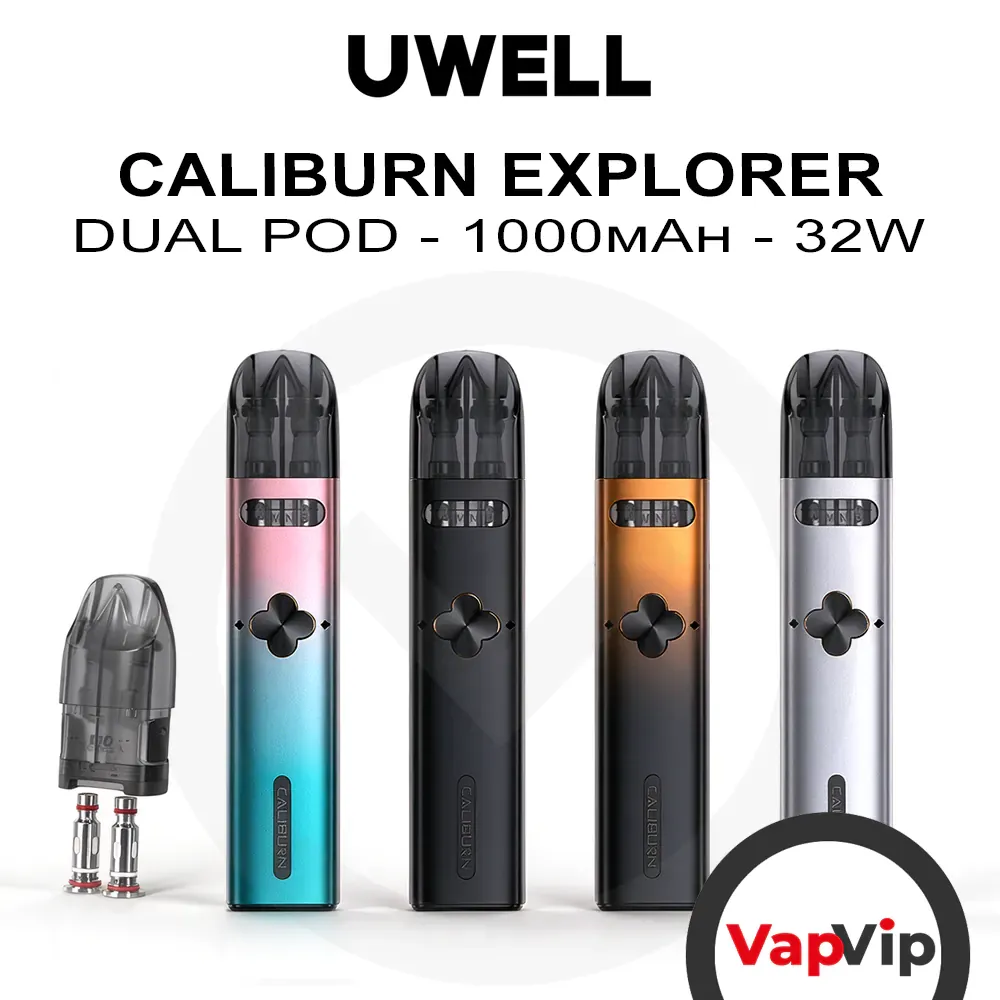
The Uwell Caliburn Explorer is a refillable pod system designed to accommodate two different e-liquids in one device. Its cartridge has two separate 2ml reservoirs, providing a total capacity of 4ml in this version, with two replaceable coils that can operate independently or together.
It features a 1000mAh battery, maximum output of 32W when using two 0.8Ω coils and an innovative four-direction control. The user can select either flavour, alternate between them automatically or activate both coils during a single draw.
Who is the Uwell Caliburn Explorer recommended for?
The Caliburn Explorer is intended for adult users who want greater versatility without carrying two separate devices.
- For switching between flavours: each chamber can contain a different e-liquid.
- For combining flavour profiles: Dual Coil mode activates both coils during the same draw.
- For an adjustable draw: changing the cartridge orientation modifies the airflow.
- For Caliburn G/G2 coil users: individual coils can be replaced without discarding the complete cartridge.
Which coils and replacement cartridges does the Caliburn Explorer use?
The Caliburn Explorer uses Caliburn G and G2 replacement coils - Uwell. The manufacturer specifies the following options:
- Caliburn G UN2 Meshed 0.8Ω: an option for a relatively fuller vapour response.
- Caliburn G2 UN2 Meshed 1.2Ω: suited to a tighter MTL draw.
There are two independent coil positions, one for each chamber. The advertised 32W maximum output applies to a configuration using two 0.8Ω coils.
For cartridge replacement, VapVip also offers the Uwell Caliburn Explorer 4ml replacement pod (2+2ml), which retains the same dual-chamber system and replaceable-coil design.
Why buy the Uwell Caliburn Explorer at VapVip?
- Original Uwell product with legal warranty and after-sales support.
- Compatible replacement parts: Caliburn G/G2 coils and the Explorer dual-chamber cartridge.
- Free shipping from €38 and 24-hour delivery.
- Specialist VapVip support for coil compatibility, filling and device operation.
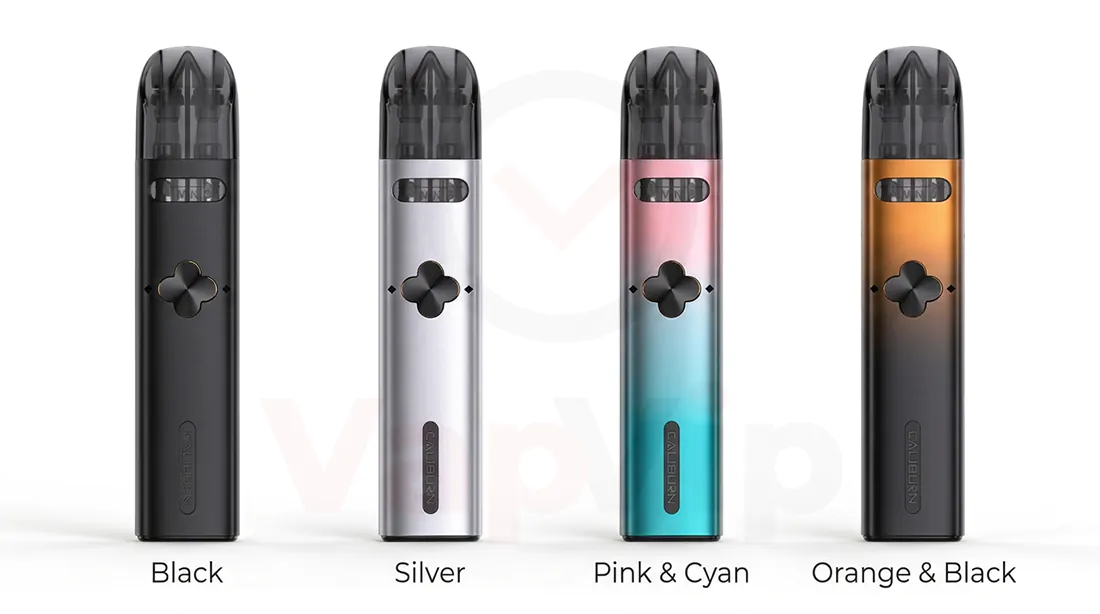
Uwell Caliburn Explorer available colours
Uwell Caliburn Explorer main features
Four operating modes with the clover-shaped control
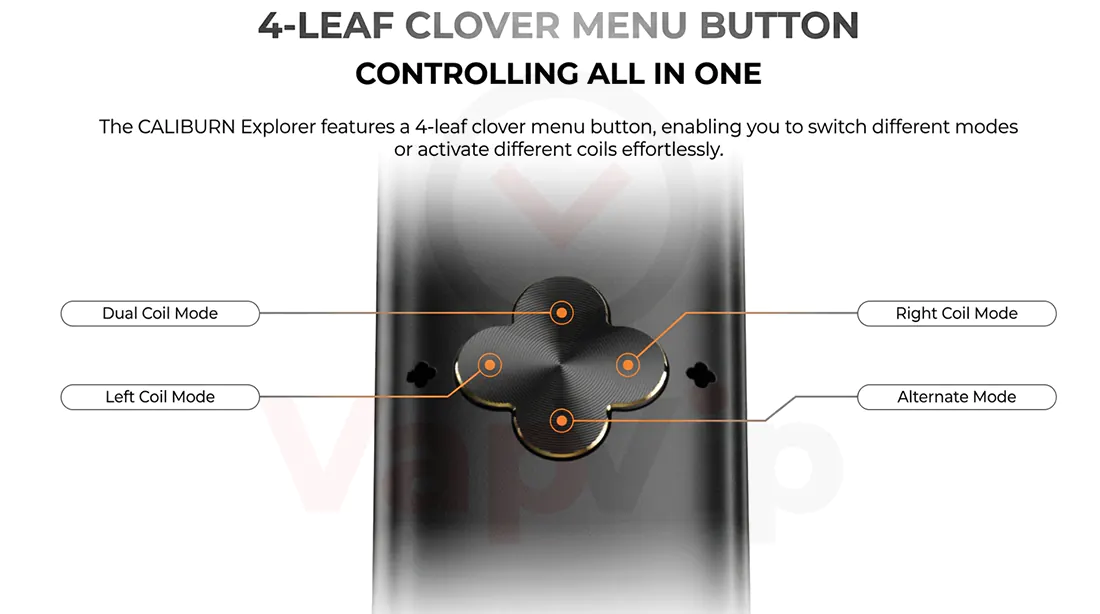
The distinguishing feature of the Caliburn Explorer is its four-leaf clover selector. Each direction controls a specific function without navigating complex menus:
| Button | Mode | Operation |
|---|---|---|
| Left | Left Coil | Activates the left coil only. |
| Right | Right Coil | Activates the right coil only. |
| Up | Dual Coil | Activates both coils during the same draw. |
| Down | Alternate | Automatically switches between coils on successive draws. |
The e-liquids remain separate inside the cartridge. In Dual Coil mode, both coils activate during inhalation, allowing both flavours to be experienced together.
4ml dual-chamber cartridge
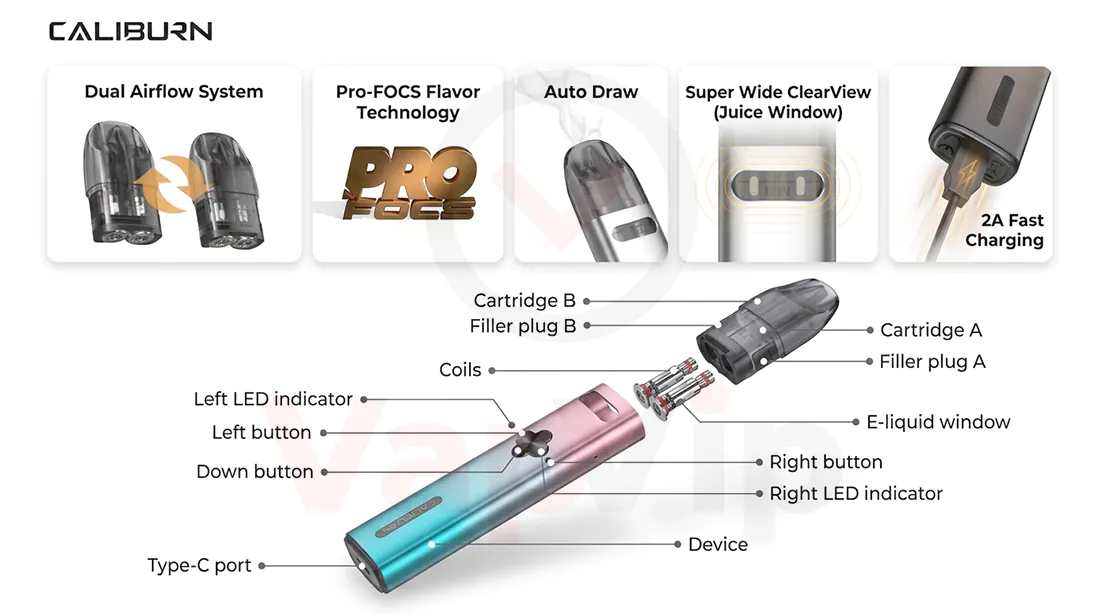
The Caliburn Explorer cartridge features two independent compartments, A and B, each with a 2ml capacity. Every chamber has its own side filling port and replaceable coil position.
This configuration keeps different liquids separate. The wide ClearView window also makes it easier to check the remaining e-liquid level.
Dual airflow and Uwell Pro-FOCS technology
The Caliburn Explorer offers two airflow configurations depending on the orientation of the installed cartridge. Remove the pod, rotate it and reinsert it to change the amount of incoming air.
Uwell Pro-FOCS technology focuses on defined and consistent flavour reproduction, while UN2 Meshed coils help tailor the draw response.
1000mAh battery, USB-C and auto draw
The device incorporates a built-in 1000mAh battery with 5V/2A USB Type-C charging support.
The Caliburn Explorer uses automatic draw activation. The clover control selects the mode or turns the device on and off, while vaping is activated by inhaling through the mouthpiece.
Quick guide: how to use the Uwell Caliburn Explorer
- Initial preparation: remove the cartridge and peel off the insulating film at its base.
- Filling: open the side plugs on chambers A and B, fill them with e-liquid and close each plug securely.
- Before first use: wait approximately 10 minutes to allow the coil cotton to become saturated.
- Power on: press any direction of the clover button five times quickly.
- Mode selection: press left, right, up or down depending on which coil configuration you want.
- Vaping: inhale through the mouthpiece for automatic activation.
- Power off: press any control direction five times quickly again.
The device confirms power on and off with indicator lights and vibration.
LED indicators, charging and device protections
The Caliburn Explorer uses coloured LED indicators and vibration alerts. According to the Uwell user manual, battery status is shown as follows:
- Green: battery above 60%.
- Blue: battery between 30% and 60%.
- Red: battery below 30%.
While charging, the LEDs indicate battery status and remain green when charging is complete.
The device also provides alerts for short circuits, low voltage, open circuits and draws lasting longer than 8 seconds. These alerts may combine LED flashes with vibration.
How to replace Caliburn Explorer coils
The cartridge uses two independent press-fit coils. To replace a worn coil:
- Remove the cartridge from the device and allow the used coils to cool.
- Make sure the e-liquid level is below the MIN mark before removing a coil, as instructed by Uwell.
- Remove the worn coil and insert a compatible Caliburn G/G2 replacement coil in the correct orientation.
- Push the replacement fully into position to reduce contact problems or leakage.
- Refill the chamber and allow approximately 10 minutes of soaking time when fitting a new coil.
Uwell Caliburn Explorer technical specifications
| Specification | Details |
|---|---|
| Brand | Uwell |
| Model | Caliburn Explorer Pod System |
| Product type | Refillable dual-chamber pod device |
| Battery | Built-in 1000mAh |
| Maximum output | 32W with two 0.8Ω coils |
| Capacity | 4ml total, 2ml per chamber (international version) |
| Filling | Dual side filling with independent ports |
| Modes | Left Coil, Right Coil, Dual Coil and Alternate |
| Control | Four-direction clover-shaped selector |
| Draw activation | Automatic inhalation activation |
| Compatible coils | Caliburn G 0.8Ω and Caliburn G2 1.2Ω, plus other compatible G/G2 coil options |
| Technology | Pro-FOCS |
| Airflow | Dual airflow, adjusted by cartridge orientation |
| Charging | USB Type-C, 5V/2A |
| Device material | Aluminium alloy |
| Cartridge material | PCTG |
| Dimensions | 128.1 × 26 × 14.6mm |
| Weight | Approximately 55g |
| Indicators | Coloured LEDs and vibration alerts |
| Colours | Black, Silver, Pink & Cyan, Orange & Black |
Frequently asked questions about the Uwell Caliburn Explorer
How do you change the four Caliburn Explorer modes?
Use the clover-shaped button: press left for the left coil, right for the right coil, up for both coils simultaneously and down to alternate between them automatically on successive draws.
Can I use just one of the two flavours?
Yes. Select Left Coil or Right Coil mode to activate only the coil corresponding to your chosen chamber.
Are replacement coils and cartridges available for the Caliburn Explorer?
Yes. Individual Caliburn G/G2 coils can be replaced, and the complete Explorer dual-chamber cartridge is also available as a spare at VapVip.
What do the green, blue and red LED lights mean?
They indicate battery level: green above 60%, blue from 30% to 60% and red below 30%. The indicators also provide operating alerts.
How long should I wait after installing new coils?
Uwell recommends waiting approximately 10 minutes after the first filling so the cotton inside the coils can become properly saturated.
What is included in the Uwell Caliburn Explorer box?
Contents of the international 4ml version as specified by Uwell:
- 1 Uwell Caliburn Explorer device.
- 1 empty Caliburn Explorer dual-chamber cartridge.
- 1 pre-installed Caliburn G Meshed 0.8Ω coil.
- 1 pre-installed Caliburn G2 Meshed 1.2Ω coil.
- 1 spare Caliburn G Meshed 0.8Ω coil.
- 1 spare Caliburn G2 Meshed 1.2Ω coil.
- 1 USB Type-C charging cable.
- 1 user manual.